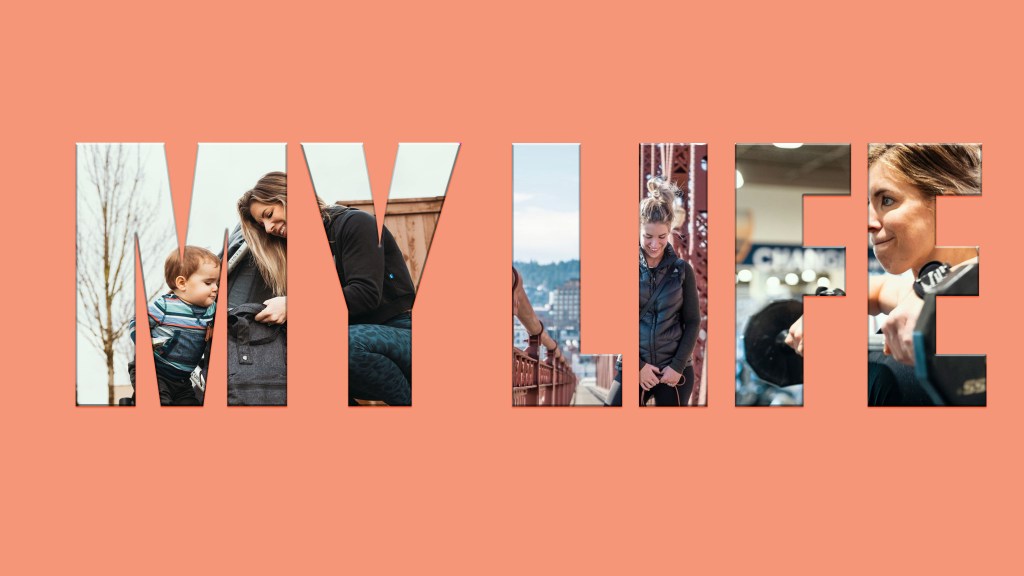
I wanted to make an image that could be used as a headline image for a YouTube channel or blog page. Since my primary focus with my blog is living a balanced and healthy lifestyle. I wanted to show different aspects of life that help portray balance.
I started this headline by choosing a simple background color. This needed to be something that was attention grabbing, but did not distract the viewer from the message of the headline. I also wanted it to feel like “me”, so naturally I went with a coral color, subtle, I know. I then added text, which needed to be a font that was large enough to hold an image within it. Using the lasso tool, I cut out my images from other Photo Shop tabs, and drug them into the background. Side note, the images I am using were taken by my husband. Somehow I got lucky enough to have an amazing husband who is also a professional photographer/videographer! Anyway, back to the project. The masking tool allowed the photos to appear to be within the “My Life” letters. Finally, using the Free Transform tool, I adjusted the images to fit within the text.
One critique from my draft, was that the letters didn’t appear to be large enough. A critique of my own was that the letters were not centered within the background, and I felt there was too much background for the headline in general….we’re our own worst critic, am I right? So, I cropped my background and centered my text. I then resized the font to be significantly larger, and adjusted the photos within each letter.
Overall, I think the headline turned out pretty good! Of course there are always new ideas and critiques I can think of when creating something like this. Knowing me, it would eventually not even be the same project when I was done! I enjoyed learning new processes and tools within Photo Shop, and hope you feel inspired to create a healthy and balanced lifestyle for yourself too!
 Brittany Brownlee